Pages beyond posts
Ten page types, what each is for, and how they reach your navigation.
Most blogging software gives you posts and one other thing called a page, which is a post without a date. ULTRV has ten page types, and most of them know what they contain. A recipe knows it has ingredients and a cook time. A bookshelf knows a book has an author. That is the whole idea: you fill in fields instead of hand-building a layout, and the page comes out consistent every time.
A page is not a post
Posts are dated, listed in reverse order, tagged, and pushed to your feeds. Pages are none of that. A page does not appear in your post list, does not carry a publication date, does not get tagged, and does not go out over RSS. It sits at a fixed URL and stays there until you change it.
Pages and posts share one flat slug namespace. On a
.ultrv.blog
subdomain or your own domain, a page called recipes lives at
/recipes,
exactly where a post with that slug would have gone. If a post and a
page ever end up with the same slug, the page wins. Everything else
about writing — the editor, drafts, images — works the way it does for
posts and the editor.
The ten types
- Page
- A regular rich-text page. About, contact, colophon, a project write-up. The plain one. A title, a slug, and a rich-text body with headings and images.
- External link
- A nav entry that points at a URL somewhere else. It appears in your navigation next to real pages and opens in a new tab. It has no public page of its own, so use it for a profile elsewhere, a PDF, a project you host separately.
- Now Page
- What you are doing at the moment, in the style of nownownow.com. Structured sections rather than free prose: a status line, what you are working on, reading, listening to, watching, and a notes field for the rest. One per blog.
- Guestbook
- Visitors leave signed messages. You approve them. Entries carry a name and a message and land in a moderation queue; nothing is public until you approve it. There is a honeypot field for spam. One per blog.
- Photo Album
- Photos with captions, in an order you choose. Drag photos into the order you want, caption each one, optionally set a cover. The public page opens photos in a lightbox.
- Bookshelf
- Books you have read, with your own notes. Cover, author, an optional link, and whatever you want to say about it. Entries are ordered, and each can be a draft or published on its own.
- CV
- Experience, education, skills and projects, in a fixed structure. It renders as a normal page on the web and has a separate printable view for the version people ask you to email. One per blog.
- Post list
- A paginated list of your posts — the classic blog index. Useful when something else is your front page and you still want the reverse-chronological archive to live at a URL of its own.
- Recipe collection
- A cookbook, with every recipe on its own URL. Each recipe carries an ingredient list with units, ordered preparation steps, prep, cook and total timings, and an optional cover photo. Recipes sit one level below the collection.
- Private section
- A password-protected area that gates a set of posts and pages. Pick the posts and pages that belong to it, set one password, and hand out a single URL. The password is hashed, the unlock lasts as long as you set (up to a year), and locked visitors see a teaser you write. A section stays out of your navigation unless you mark it discoverable.
Now Page, Guestbook and CV are one-per-blog. The rest you can create as many of as you like — four albums, three sections, a dozen plain pages.
Adding one
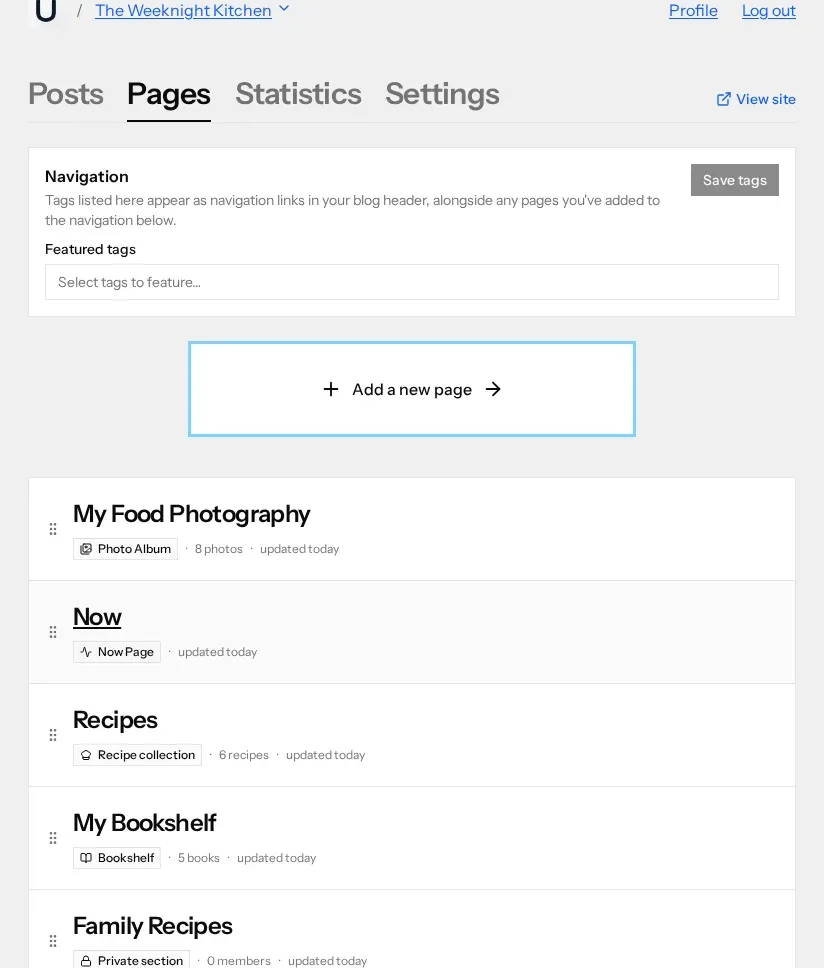
Open a blog, go to the Pages tab, and press Add a new page. A picker opens with the ten types listed down the left and a description of the selected one on the right. Choosing a type creates the page as a draft straight away and drops you into the editor for it, so there is no separate "create" step to confirm.
Every type arrives with a sensible default slug — about, now, photos, books, recipes, guestbook, cv — which you can change before you publish. New pages start as drafts and carry a Draft badge in the list until you publish them.
Navigation and order
The order of the list is the order of your navigation. Drag a row by the handle on its left and the blog header rearranges to match. There is no separate menu builder and no show-in-nav checkbox — publishing a page puts it in the nav, and unpublishing takes it out.
Three things change what a reader actually sees up there:
- Drafts never appear. Only published pages are in the nav.
- A private section stays hidden unless you mark it discoverable. That is the point of it — an undiscoverable section is reachable only by people you gave the URL to.
- The page you have chosen as your homepage drops out of the nav, because clicking your blog's name already goes there.
That last one is set in the blog's Settings, under Homepage. The default is a paginated post list; pick any published page instead and it becomes what visitors land on at your root URL. Featured tags share the same header bar, so a nav can mix pages and tags — see feeds, tags, and discovery for how tags are chosen.
What the reader gets
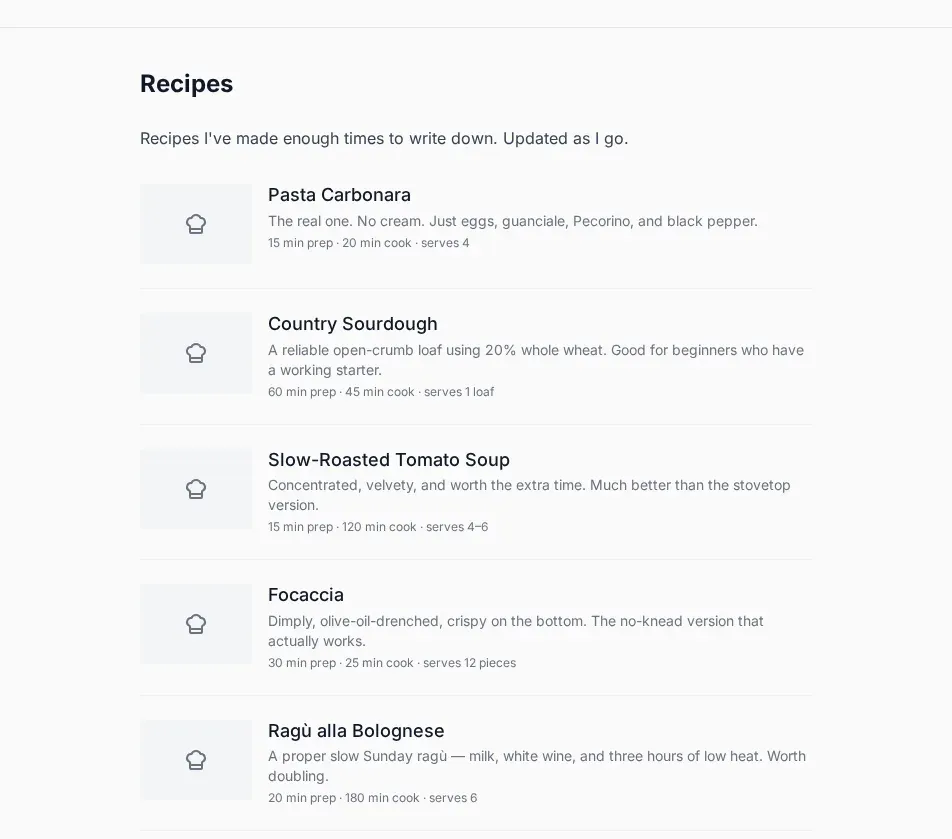
A typed page is not a widget embedded in a blog post. It is a real page, rendered by your theme and typography settings like everything else, with the same fonts, colours and width. A recipe collection lists its recipes with their timings and links each to its own URL:
Because they are ordinary pages, they are indexed, linkable, and included in your archive: everything published comes out in the export ZIP as browsable HTML, page types and all. If you want to see what other people do with them before committing, the explore directory lists blogs you can click through.
When not to use one
A typed page earns its place when the content has a shape you will repeat. Eight photos with captions, twenty books, a growing pile of recipes. If you are writing one thing once, write a post, or a plain Page. The structure is there to save you work later, and there is no prize for filling in every type.