Export and backup
What comes out, where the button is, and what happens if you leave.
A platform you cannot leave is a platform you should not trust with twelve years of writing. So the export is not a retention feature and it is not behind a plan: any blog on any account can be downloaded, as often as you want, and the file you get is readable without us.
Where the buttons are
Everything lives in one screen: Settings → Your data. Each of your blogs gets a row with two buttons, Export ZIP and OPML, and below the list there is a single OPML file covering every blog at once.
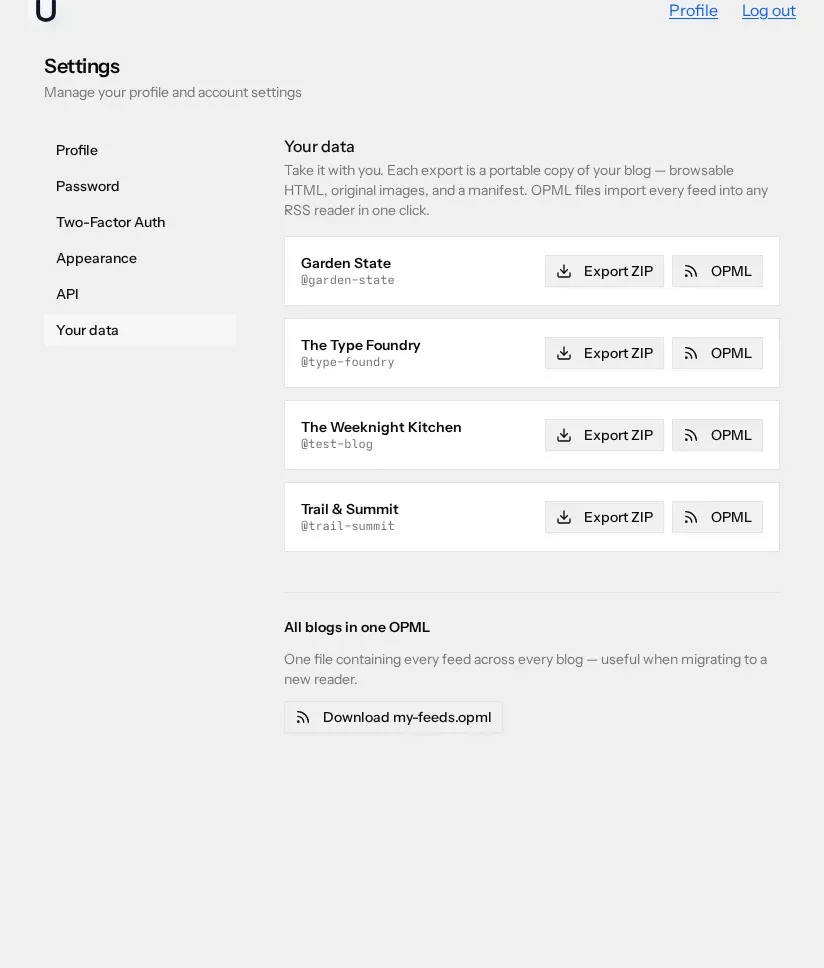
The ZIP is generated and streamed as you click. There is no job queue, no "we will email you when it is ready", and no daily limit. The file is named after the blog and the moment you asked for it, so downloading twice a year leaves you with an ordered set of snapshots rather than a pile of files called export.zip.
What is in the ZIP
The archive is a small static website, not a database dump. Open
index.html
in a browser with no internet connection and you can click through the
whole blog.
-
index.html— the front page, listing every exported post and page. -
posts/— one HTML file per published post, named by its slug, with its date and tags. -
pages/— one HTML file per published page. Each page type has its own template, so an album exports as a photo grid, a bookshelf as a list of books, a CV as a CV. -
media/— your images, at original size and at the large variant. Image references inside the HTML are rewritten to point here, so nothing loads from our servers. -
assets/style.css— one small stylesheet so the pages are readable rather than raw. -
manifest.json— the machine-readable index: the blog's name, slug, description and author, then every post with its title, slug, file, publication date, tags and images, and every page with its title, slug, type and file, plus the timestamp of the export.
Some things are left out. Drafts are not exported — only published posts and pages are. Pages that sit inside a private section are skipped as well. Guestbook entries appear only where you approved them.
The manifest is the part to reach for if you are moving to another platform. It gives you slugs, dates and tags as data, so a short script can walk the HTML files and rebuild the blog somewhere else without anyone parsing filenames.
The OPML file
OPML is the interchange format RSS readers use to move subscriptions around. The per-blog file contains that blog's main feed plus a folder of its per-tag feeds — one subscribable feed for each tag you have used. The combined file, my-feeds.opml, does the same for every blog on your account in one download.
It is useful in two directions. Import it into a reader and you are
subscribed to your own work, which is the cheapest way to check that
your feeds actually publish what you think they do. Hand it to a reader
and they get every feed you offer in one click instead of hunting for
the RSS link. Each blog also serves its OPML publicly at
/opml.xml,
so you can link it from a page. More on the feeds themselves in
feeds and discovery.
Getting content out programmatically
The ZIP is a snapshot. If you want a copy that updates, or you want your posts as structured records rather than rendered HTML, use the REST API. It lists your blogs, their posts, their pages and their images behind a Bearer token you generate in Settings → API, and returns the stored fields directly — title, slug, content, status, tags. A cron job and twenty lines of script gives you a versioned mirror in a Git repo.
The terminal client talks to the same API and converts post bodies to Markdown on the way in, which is often the format you actually want if the destination is a static site generator.
If you delete your account
Account deletion is in Settings → Profile, at the bottom, in a red panel headed Warning. You confirm with your password, and the dialog says what it does: once your account is deleted, all of its resources and data are permanently deleted too.
That includes your blogs, their posts and pages, and their images. Deleting the account takes the blogs with it, and their public URLs stop resolving. There is no grace period and no undo, so export first — the download takes a few seconds and the archive keeps working forever. What we store while the account is alive is set out on the privacy page.